

Download the DisabilityID® app
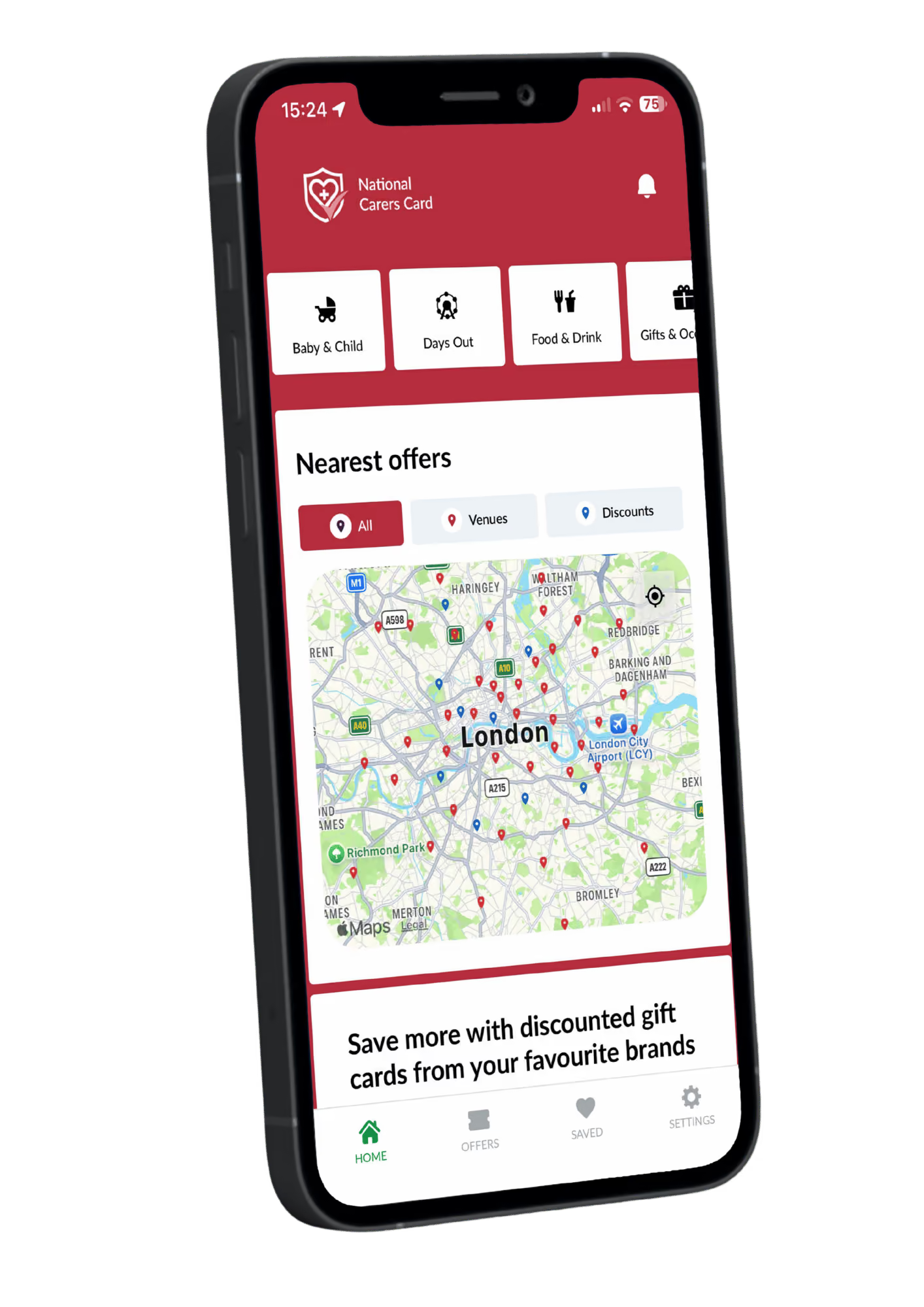
The new DisabilityID® app gives you access to your favourite card holder perks on the go. See which venues and attractions near you accept your card; discover in-store gift cards to use near you, and online shopping discounts, all through your app. Simply log in once with your unique card number and stay securely signed in, ready to start saving.
Discover new card holder discounts and benefits
See where your card or discounted gift cards are accepted near you on a map
Login once and stay securely logged in
Download now:
.svg)

FAQs
What is the DisabilityID® app?
The DisabilityID® app provides National Carers Card holders with access to participating venues, discounts and other benefits. The app can be used to find organisations that accept the National Carers Card and view available offers. The app is free to download and there are no in-app purchases.
Where can I download the DisabilityID® app?
Search ‘DisabilityID®’ in the Google Play store or App Store. Please ensure that you select the official DisabilityID® app published by National Disability Card Ltd. Download on Google Play. Download from App Store
How do I log in to the app?
Open the DisabilityID® app and enter the unique National Carers Card number shown on the front of your physical card. Your card number starts with UK- and is either 19 digits (printed on two lines) or 9 digits.
What can I use the app for?
Our app gives you an easier way to discover card holder discounts and benefits. Easily discover venues that accept your card near you by browsing the map. Login once and stay securely logged in, then save offers to use later. Enable notifications to stay updated with the latest offers.
I can't log in to the app. What should I do?
Check that you have entered your National Carers Card number correctly. Your card number starts with UK- and is either 19 digits (printed on two lines) or 9 digits. If you are unable to log in, check your internet connection, ensure you are using the latest version of the app, close and reopen the app, and restart your device. If the problem persists, please contact us.
Something in the app isn't working. What should I do?
If you are experiencing problems with the app, check your internet connection, close and reopen the app, restart your device, check for an available app update and ensure your device's operating system is up to date. If necessary, you can also uninstall and reinstall the app.
If the problem persists, please contact us, letting us know your device type, whether iPhone or Android, phone model, a description of the problem and any error message displayed, so we can investigate the problem.
Login to my account
Login to view my account, plus access discounts exclusive to National Carers Cardholders.

